Website Development: The Key to a Successful Business
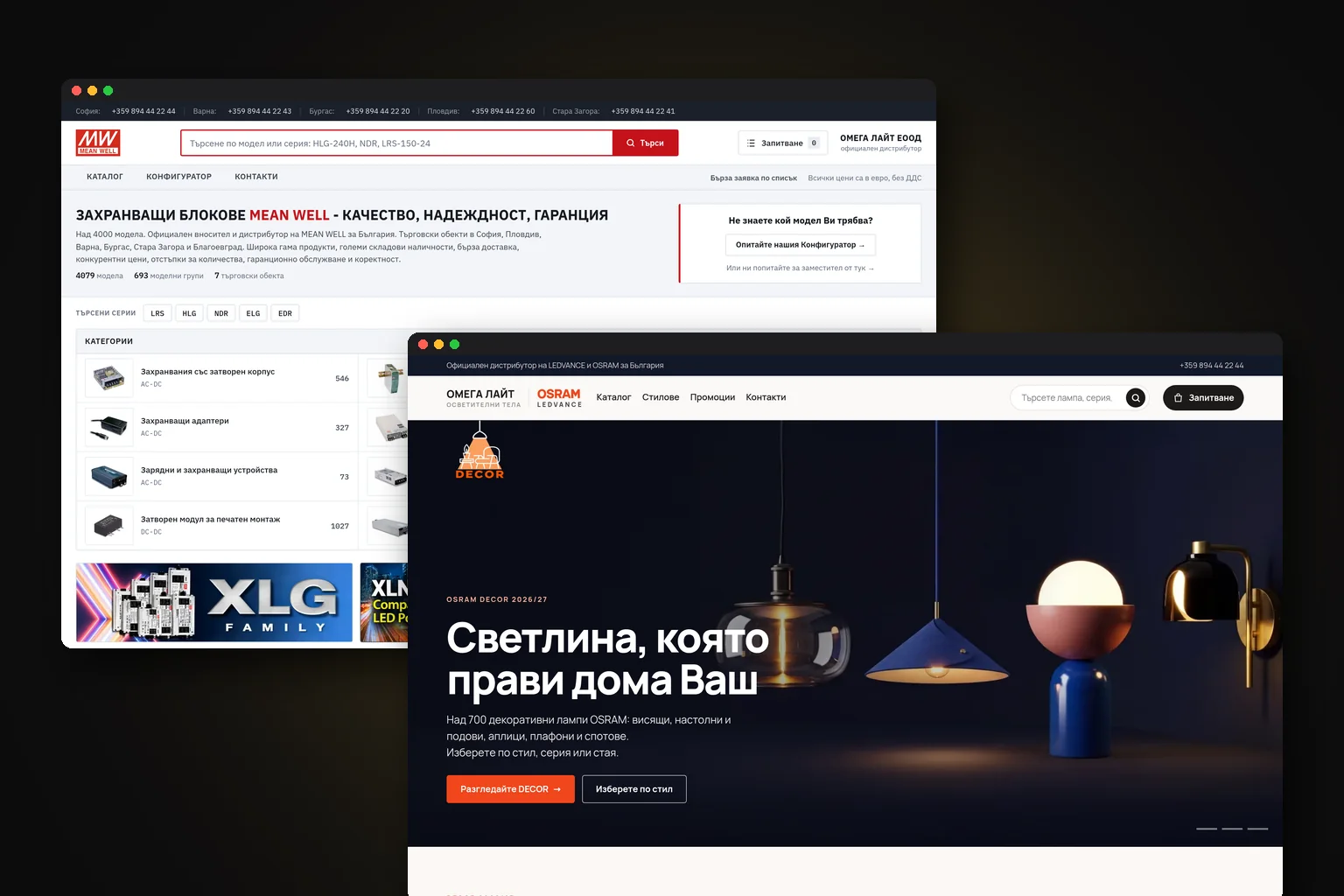
A good company website is not an online business card. It is where customers decide whether they can trust you and take their first step towards getting in touch. On the NAK website, this role is fulfilled through a portfolio, a quote calculator and CRM integration, a combination that helps visitors understand the service and the team process enquiries.
 Владислав БарковManaging Director
How does a website build trust?
Before calling or submitting a form, a potential customer usually checks a few things: what you offer, who you work for, where you are located and whether you look like a real, well-organised company. A website brings these answers together in one place and reduces uncertainty.
Trust does not come from attractive design alone. It is built through clear services, photos of real projects, a specific description of how you work, contact details, terms and easy access to someone on the team. If visitors have to guess what you sell, they will probably look for another provider.
The homepage should say what problem you solve and for whom from the very first screen. Instead of a vague promise such as “quality and professionalism”, use a specific offer: swimming pool design and construction, accounting services for small businesses or industrial equipment maintenance.
Your proof should be specific too. Show completed projects, brands you work with, certificates, photos from job sites or testimonials when you have them. Do not use made-up ratings or generic phrases, because they are easy to spot.
How does a website find new customers?
A website can bring you customers in two main ways. One is through organic Google search, when your pages answer specific questions and address specific services. The other is through advertising, social media, referrals and direct links to well-prepared landing pages.
For organic search to work, every important service should have its own URL and its own content. A “Services” page with one general paragraph is rarely enough. A dedicated page can explain the process, the right customers, limitations, timeframes and the next step.
The SEO foundation starts before the design. It includes a logical URL structure, titles, meta descriptions, correctly used heading levels, fast loading, internal links and content based on real searches. This does not automatically guarantee the top position, but it removes the obstacles that prevent Google from understanding the website.
If you are already investing in advertising, the website should continue the conversation started by the ad. An ad for “roof repairs in Sofia” should lead to a page about that service, not to an impersonal homepage. This way, visitors see the exact offer and are more likely to send an enquiry.
Which pages does a company website need?
The right set depends on the business, but most company websites need several basic types of pages. Each one has a different role in the sales process.
| Page | What it should do | What it should contain |
|---|---|---|
| Homepage | Explain your value and guide the visitor | Main offer, services, proof and a clear next step |
| Service page | Answer a specific search | Problem, solution, process, suitable customers and an enquiry form |
| About the company | Show who is behind the offer | Team, experience, working methods, certificates and real photos |
| Portfolio or projects | Prove that you can do the work | Description of the task, photos, result and solutions used |
| Contact page | Make it easy to get in touch | Phone, email, address, opening hours, map and a short form |
| Blog or helpful resources | Answer questions before the sale | Articles, guides and explanations on topics customers search for |
You do not need to publish dozens of empty pages. It is better to have a few well-written service pages than a large menu with repetitive text. The structure should follow the way customers make decisions: they understand the problem, compare solutions, check the company and get in touch.
Which features generate more enquiries?
A contact form is essential, but simply having one is not enough. It should be short, ask only for the information needed for the first conversation, and explain what will happen after submission. Email confirmation helps remove any doubt about whether the enquiry was received.
For services with many options, you can add a calculator, service-type selection, file upload or request for an on-site inspection. A calendar is more suitable for bookings. For B2B sales, the form can collect the company name, UIC, product category and preferred contact method.
When enquiries come in through email, phone, chat and social media, information can easily get lost. Connecting the website to a CRM system creates a customer record and allows the team to track who took ownership of the case, what was offered and when the next contact should take place.
A chatbot makes sense when it answers recurring questions and gathers context, not when it hides the phone number. For some businesses, a well-designed form is enough. For others, such as those receiving many enquiries outside working hours, automated questions save time.
Why is a mobile version essential?
Many people search for a company on their phone while they are on-site, on the move or between two tasks. They do not zoom in and will not wait long for a page to load. If the phone number is hard to see, the call button is too small or the form breaks down, a potential enquiry ends before it begins.
A mobile version does not simply mean shrinking the desktop design. The menu should be concise, the text readable, the images optimised and the most important actions accessible with a thumb. The phone number and form should be easy to find.
Speed also affects how people perceive the company. Large images, unnecessary animations and heavy plugins can slow a website down. Compressed images, well-chosen hosting and technical checks are practical parts of the build, not a final detail.
How do you choose the right structure?
Start with your customers’ questions, not the colours. What are they looking for? How do they compare providers? Which objections do you hear on the phone? What information do you need to provide an accurate quote? The answers show which pages and features deserve a place on the website.
- 01Describe your main customer groups
Divide visitors according to their needs, not just their industry. A small-business owner, technical director and end user may be looking for different information on the same website.
- 02Organise services by intent
Place the most important services where they are easy to see and create separate pages for different search intents. Do not hide a profitable service in a generic dropdown menu.
- 03Map the path to an enquiry
For each page, determine where the visitor comes from and what they should do after reading it. This gives buttons and internal links a specific purpose.
- 04Prepare the content before the design
Gather prices, terms, photos, certificates, frequently asked questions and examples. Designing around real content is more reliable than designing with placeholder text.
- 05Test the website with real-world scenarios
Open it on a phone, submit a form, try to find the contact number and check what the team receives. Also test it with someone who is unfamiliar with the business.
How do you measure website success?
Visits alone do not show whether a website is working. What matters are the actions taken afterwards: a submitted form, phone call, quote request, booking, catalogue download or chat started. These actions should be set up as measurable events.
Google Analytics and Google Search Console show how people reach the website, what searches they use and which pages they leave. The data does not replace conversations with the sales team, but it helps identify where there is a problem.
Connect your advertising campaigns to specific goals. If there are many visits but few enquiries, check the match between the ad and the landing page, the form, the loading speed and how clearly the offer is presented. If there are enquiries but few deals, the reason may lie in the offer or follow-up, not the website.
It is useful to review once a month which services generate organic traffic, which forms are submitted and which sources lead to real conversations. This way, improvements are based on a proven problem rather than personal impressions.
How much does a company website cost?
For a company website, WordPress website, landing page or redesign, the indicative price is €500-€5,000. The price within this range varies depending on the number of pages, custom design, content preparation, language versions, forms, calculators, integrations and the need for an admin panel.
A low-cost quote may cover only a template, a few pages and a basic form. A higher budget may include strategy, copywriting, UX work, an SEO foundation, CRM integration, custom calculations and testing. Compare not only the price, but also what you will receive and who will be responsible after launch.
If the website already exists, you do not necessarily need to start from scratch. First check which URLs appear in Google, which pages generate visits and which enquiries come in. During a redesign, old URLs should be redirected so that accumulated signals are not lost.
What should you receive from the provider?
Ask for a page structure, a description of the features, details of how the content will be managed and a measurement plan. Clarify who will prepare the copy and photos, who will configure the forms and where enquiries will go.
It is important to know what happens after the site goes live. Are there backups, updates, form monitoring and technical support? Can you access the domain, hosting, analytics tools and website files?
Choose a partner who asks questions about your process, not just your preferred colours. A good website starts with an understanding of your sales process, customer service and the information your team can realistically maintain.
Frequently asked questions
- How long does it take to build a company website?
- The timeline depends on the number of pages, content readiness, design and integrations. A simple website is easier to plan, while a calculator, CRM integration or multilingual setup require additional work and testing.
- Should each service have its own page?
- When services are searched for in different ways or target different customers, separate pages are usually more useful. They allow for more precise content, SEO optimisation and a clear enquiry form.
- What is an SEO foundation when building a website?
- This is the technical and structural preparation that helps Google understand the website: URLs, headings, meta descriptions, internal links, speed and properly structured content. It is necessary, but it does not replace ongoing work on the website’s content and authority.
- How can I tell whether the website is bringing in real customers?
- Set up tracking for forms, calls, bookings and other important actions, then compare their sources with the deals actually won. Visits provide useful context, but they are not the end result.