OpenClaw: Installation, Setup and Support
OpenClaw can be installed reliably only after checking the machine, power supply, internet connection and how the team will respond to alerts. The usual process includes an on-site inspection, controller installation, platform setup, testing and training. The exact price is stated in the quotation because it depends on the model and number of machines, locations, connectivity and required integrations.
 Владислав БарковManaging Director
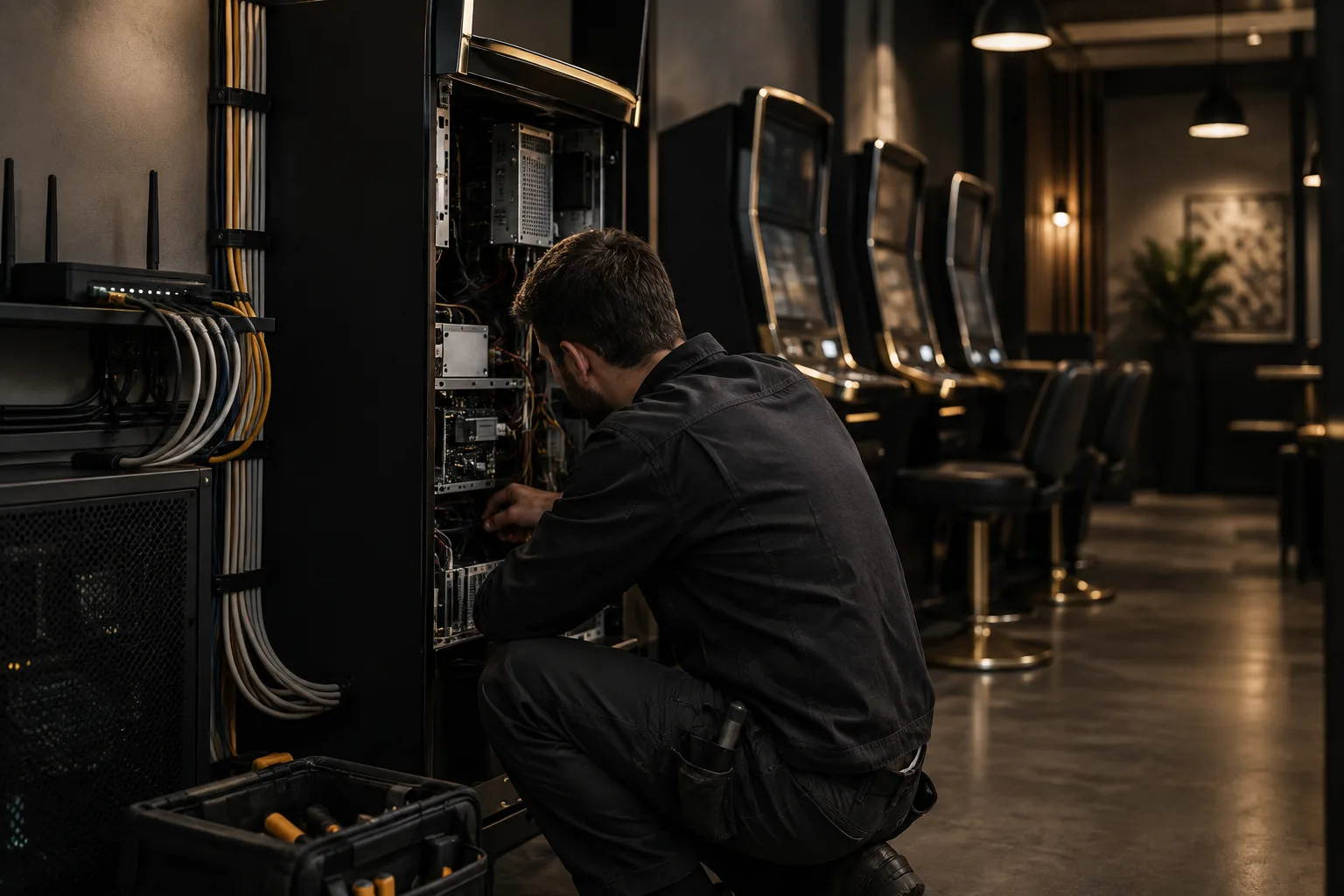
What is OpenClaw?
As part of this service, OpenClaw is used as a management and remote monitoring system for amusement machines. The solution combines a hardware controller, internet connectivity and a cloud platform that displays statuses, events and available reports.
The practical benefit is a centralised view of the machines. The operator does not have to visit every location just to check whether a machine is working. When configured correctly, the system sends an alert when there is an interruption, error or other unusual condition, allowing the team to send a technician on site.
It is important to distinguish OpenClaw's capabilities from the additional development around it. Monitoring and standard reports may be part of the platform. Connecting to a payment system, ERP, CRM or accounting software requires a separate assessment, data mapping and a reliable method of exchange.
What does professional installation include?
- 01Machine and site inspection
We collect the machine models, photos and information about devices that have already been installed. We check the location for the controller, access to power, service conditions and available network. We clarify whether the machines are at one address or across several locations.
- 02Connectivity plan
We choose the appropriate communication method based on the specific location and equipment. Ethernet is usually more predictable for continuous operation. Wi-Fi may be sufficient with a strong signal and a properly configured network. We clarify in advance who will provide the router, access and internet service.
- 03Controller installation
The controller is connected according to the wiring diagram for the specific machine. Cables are arranged and protected without blocking access for future servicing. For a non-standard or older machine, we first confirm compatibility rather than planning the installation based on assumptions.
- 04Platform setup
We create or organise the locations and machines, and configure users, roles, notifications and available reports. If an external system is involved, we specify which fields will be exchanged, through which interface and with what access permissions.
- 05Testing and handover
We check the connection, statuses, notifications and behaviour when the network or power supply is interrupted. After testing, we hand over access details, document the limitations and show operators how to monitor an alert and assign a task to a technician.
What needs to be ready before installation?
Each location needs a stable power supply and physical access to the machine. An internet connection is also required, but the specific option depends on the equipment and location. A weak Wi-Fi signal, restricted router permissions or a changing network configuration often cause problems that look like software defects.
Prepare a list of the machines, their models, the site addresses and an on-site contact. Add photos of the machine, control panel, existing cabling and router, if possible. This way, the technical assessment starts with real information rather than just a general description.
Clarify responsibilities as well. Who provides the internet service? Who has access to the router and cloud account? Who lets the technician into the site? Who responds to an alert? If these questions remain unclear, even a well-installed system may not lead to a fast response.
What can be monitored and managed remotely?
The exact scope depends on the controller, the specific machine and the cloud platform configuration. The goal is for the operator to view the machines centrally instead of collecting information by phone, in Excel or on paper.
- Machine status and its connection.
- Alerts for errors, interruptions or unusual conditions.
- Reports by machine, location and period, when these data are supported by the configuration.
- User roles for owners, managers, operators and technicians.
- Event history to assist with diagnostics and subsequent servicing.
This does not mean that the system will detect every physical defect. The software can show recurring alerts and deviations. A faulty component, missing consumables or a problem with the electrical network often require an on-site inspection.
How much does OpenClaw installation cost?
There is no universal measured range for the OpenClaw installation itself. The price is specified in the offer after reviewing the list of machines and completing a technical inspection. The table separates the most common options to make clear what changes the scope.
| Option | What it usually includes | Price |
|---|---|---|
| Pilot installation | Compatibility check, installation on one machine, basic connectivity, configuration and testing. | specified in the offer |
| Several machines at one site | Group planning, installation, site configuration, roles, notifications and training. | specified in the offer |
| Machines at different addresses | Location coordination, different networks, site visits, remote testing and a maintenance plan. | specified in the offer |
| Integration with an ERP, CRM or other system | Data specification, API or middleware connection, development, testing and documentation. | specified in the offer |
The main factors are the number and model of the machines, the distance between sites, the condition of the cabling, the selected connectivity type and the reports required. Controllers, SIM cards, network equipment, electrical installation, travel expenses and taxes are specified separately when they are not part of the agreed scope.
If data from OpenClaw needs to flow into another system, this is a software integration rather than a standard installation. In this scenario, the source of truth, synchronisation frequency, access permissions, logs and behaviour when the connection is interrupted are defined. A suitable technical starting point is the API integration and software connectivity service.
How is monitoring organised after installation?
Monitoring is valuable only when there is a clear response process. You define which notifications matter, who receives them and when they are escalated to a manager or technician. If every alert goes to every employee, important warnings quickly get lost.
With a small number of machines, a remote review during working hours may be sufficient. With multiple sites, you need a backup contact, site-visit rules and a definition of when an alert is closed. Continuous on-call monitoring is not an automatic feature of OpenClaw. It is a separate commitment that must be described in the contract.
Maintenance may include remote diagnostics, connectivity checks, software updates and assistance with network changes. A physical defect in the machine or controller is handled by a technician and with spare parts if this is included in the scope. If you need comprehensive maintenance for an existing website, this is a separate service and does not replace technical equipment maintenance.
When is an ERP or CRM connection justified?
Integration makes sense when the team is copying data from OpenClaw into Excel, accounting software or an internal system. Before development begins, you need to decide where machines, sites, revenue, service tasks and users are stored. Without this, the integration may transfer data but create duplication and unclear reports.
In an ERP, you can connect assets, sites, service requests, expenses and reports. In a CRM, you can track contracts, customers and communication by location. You also need logs, access permissions and a clear plan for what happens when the connection is temporarily interrupted. If OpenClaw is only one of the company’s processes, consider a custom ERP system instead of adding separate spreadsheets to the existing chaos.
What should you receive at handover?
- A list of the installed machines and their sites.
- Access details provided securely.
- A description of the network layout and the devices used.
- Configured users, roles and notifications.
- Test results and known limitations.
- Brief training for operators and instructions for handling problems.
Do not consider the installation complete just because the machine appears online. Check that the right events are being received, that the reports are understandable and that the person who works with them every day can find the necessary information on their own.
How does the project work progress?
- 01You send us information about the site
You provide the number of machines, models, addresses, photos where possible, the available internet connection and the desired notifications or reports.
- 02We carry out a technical inspection
We confirm what can be connected, what needs to be provided and which questions remain to be checked on site.
- 03We carry out a pilot installation
We configure one machine or a small group and check the actual data, signals and behaviour when the connection is interrupted.
- 04We roll out to the remaining locations
Once the pilot is approved, we schedule the site visits, configure the machines and maintain a single change log.
- 05We hand over and maintain the system
We train the team, document how to respond to problems and arrange remote or regular support.
What can be built on top of OpenClaw?
When the standard reports are not enough, we can build an additional dashboard for the manager, a service module, automated notifications or an integration with other systems. This makes sense once the process has been validated and you know which decisions need to be made using the data.
For mobile technicians, for example, an app with tasks, photos, statuses and visit history can be useful. This is a separate project, planned around the roles and actions in the field, not simply around the presence of OpenClaw. In such a scenario, a suitable starting point is mobile app development.
Frequently asked questions
- How long does OpenClaw installation take?
- It depends on the number of machines, access to the site and the readiness of the network. The pilot installation is planned separately, while multiple addresses require scheduling and coordination.
- What kind of internet connection does OpenClaw need?
- A stable connection is required, but the specific option depends on the equipment and the site. Ethernet is usually more predictable, while Wi‑Fi is suitable when the signal is strong and the network is configured correctly.
- Is OpenClaw compatible with every vending machine?
- Universal compatibility should not be promised without verification. We need the model, the machine's wiring diagram and information about the devices already installed, especially with non-standard or older equipment.
- Can OpenClaw connect to an ERP or CRM?
- It is possible if there is a suitable API or another reliable way to exchange data. Before development, we define the fields, synchronisation frequency, access rights and behaviour when the connection is interrupted.
- What does OpenClaw support include?
- The scope is agreed on a case-by-case basis and may include remote diagnostics, notifications, updates and assistance with connectivity issues. On-site visits, spare parts and continuous on-call monitoring must be specified separately.