nec.eu.com
Elevators · 2024
NAK - National Elevator Company
Corporate website for a Bulgarian elevator company with a portfolio, quote calculator and CRM integration.
Next.jsReactGTM
National platform for vocational olympiads: 3 524 schools and kindergartens, 8 roles, tests with video and a timer, QR-coded certificates, and a browser-based video studio with transitions, captions, camera recording and questions on the timeline.
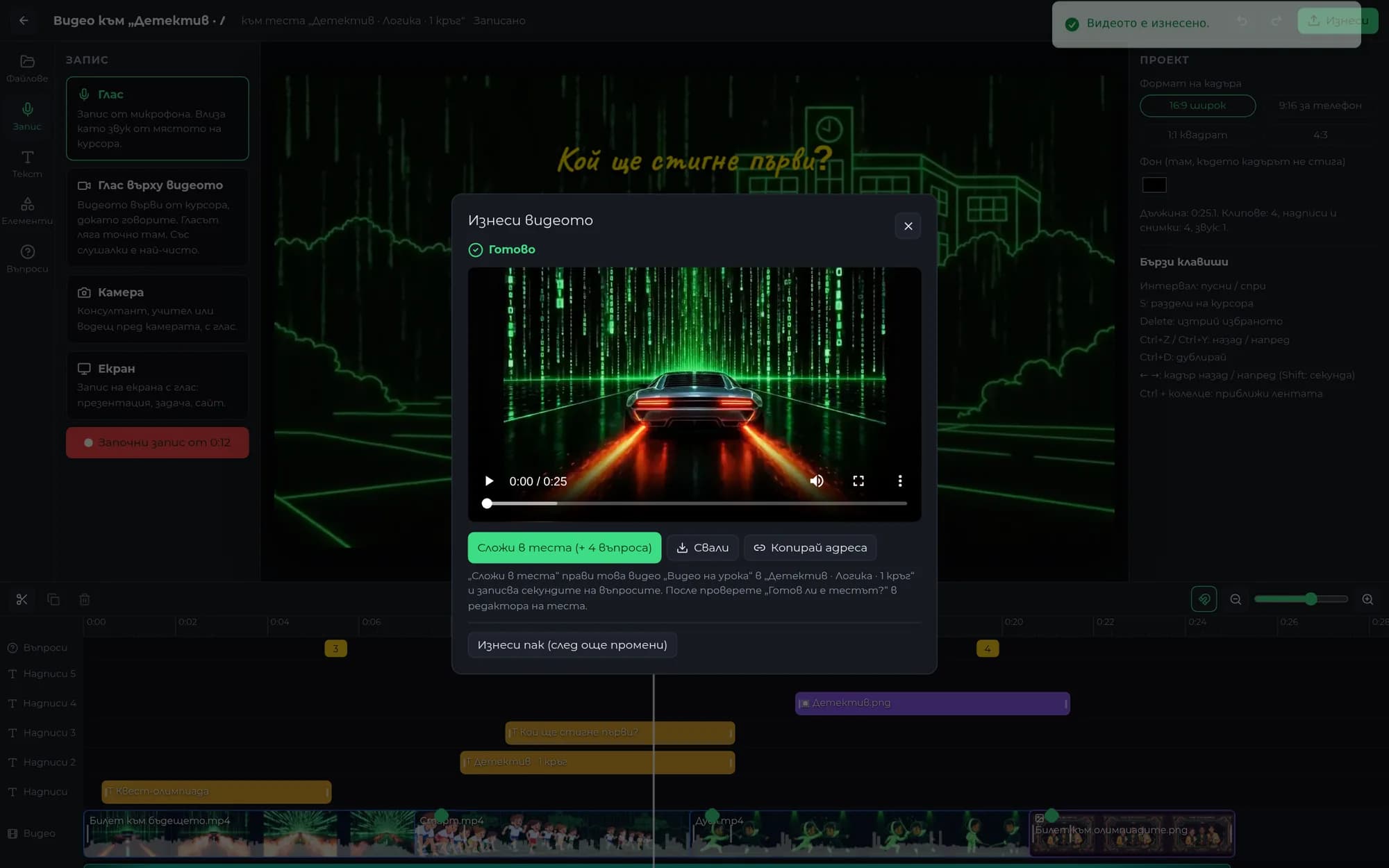
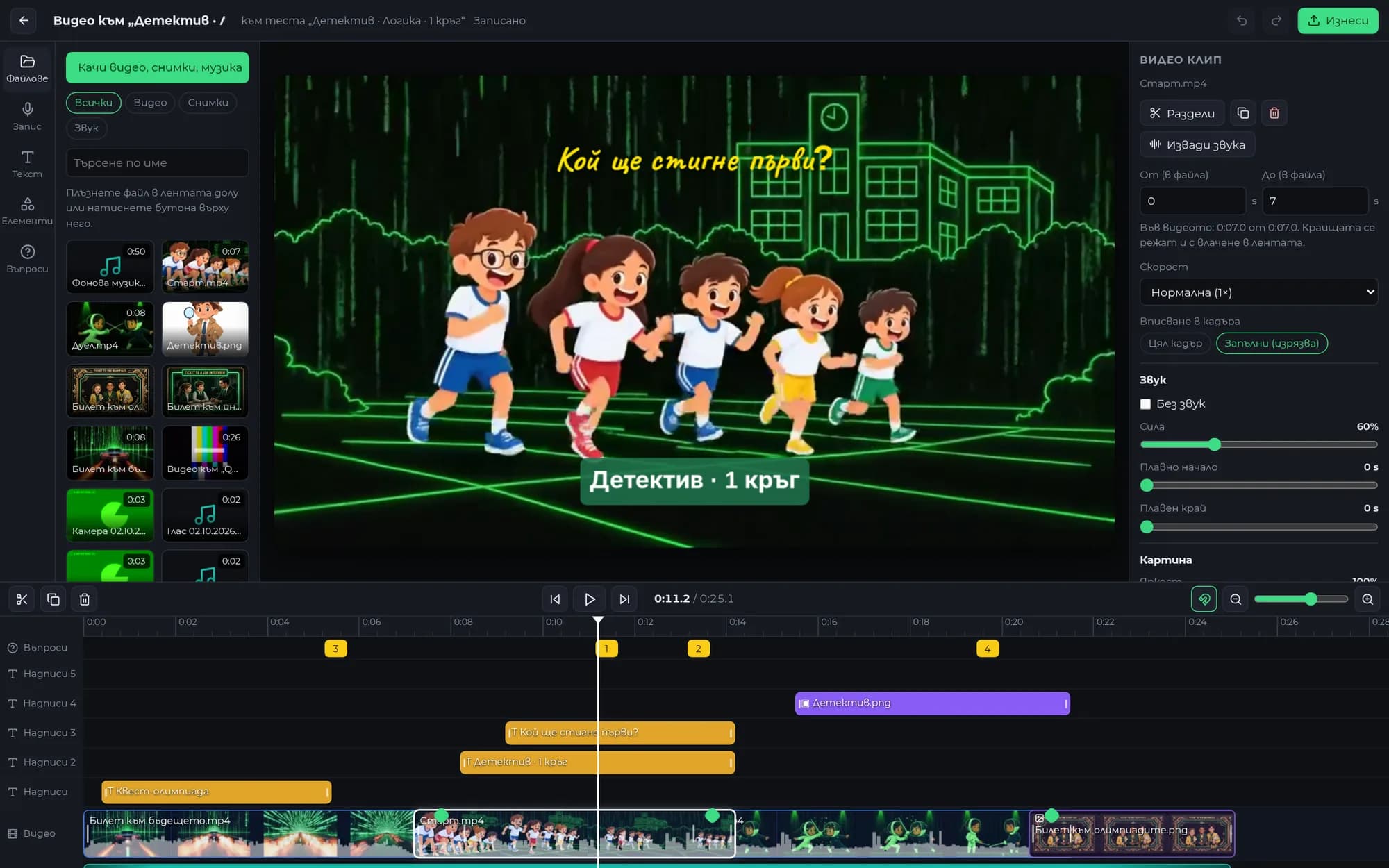
The client wanted to edit the lessons independently, like in CapCut or Filmora, without downloading anything. The files are on the left, the preview is in the middle, the timeline with its tracks is at the bottom, and the settings for the selected item are on the right. Video, a photo or music can be dragged onto the timeline, a clip can be cut with one press of S, and everything saves automatically.
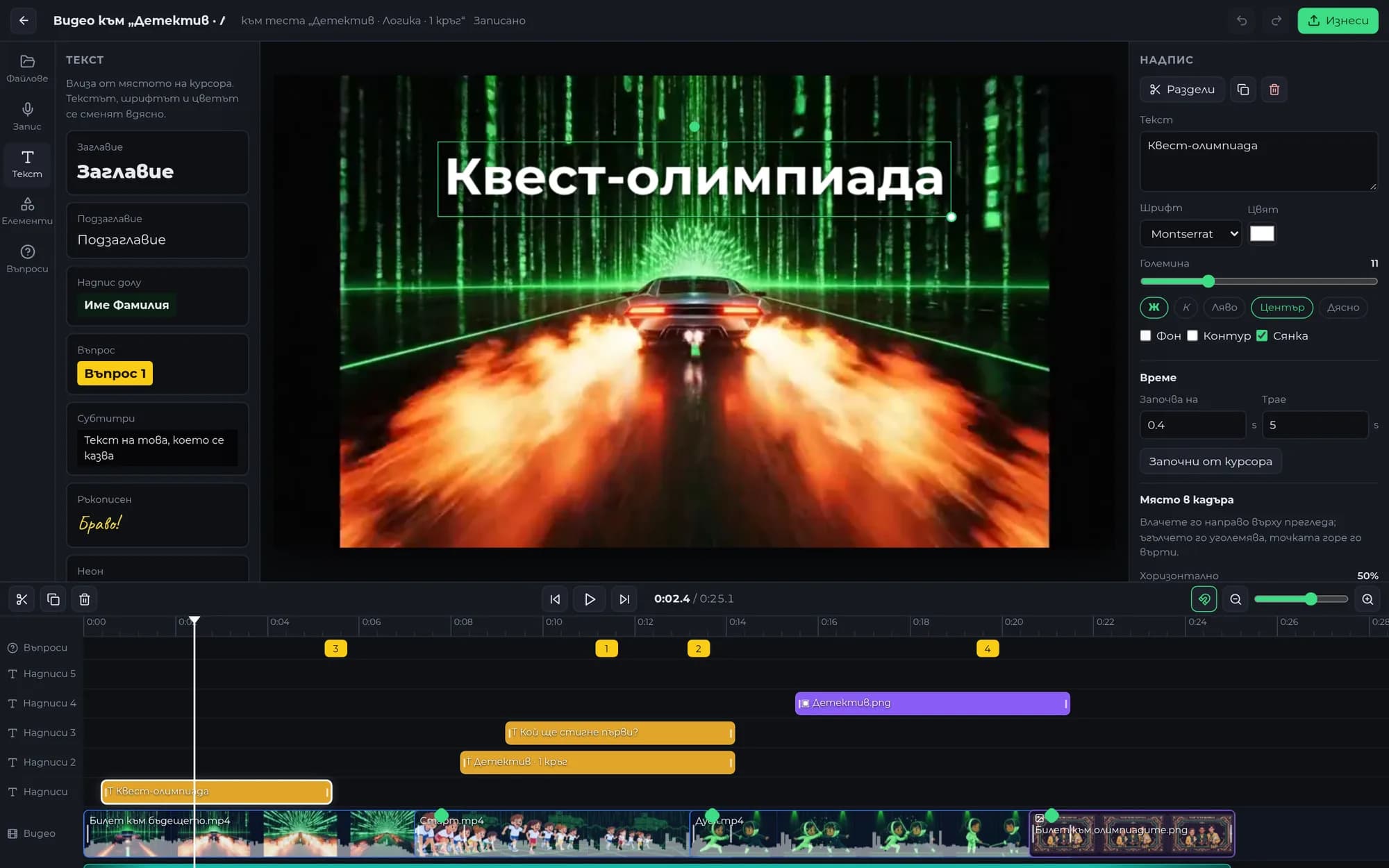
Fade to black, fade to white, four-direction wipes, four-direction slides, and circular opening and closing. The preview renders them live in the browser, while the server assembles them frame by frame with FFmpeg. Both sides calculate the timing using the same function, so there is no discrepancy between what you see and what you export.
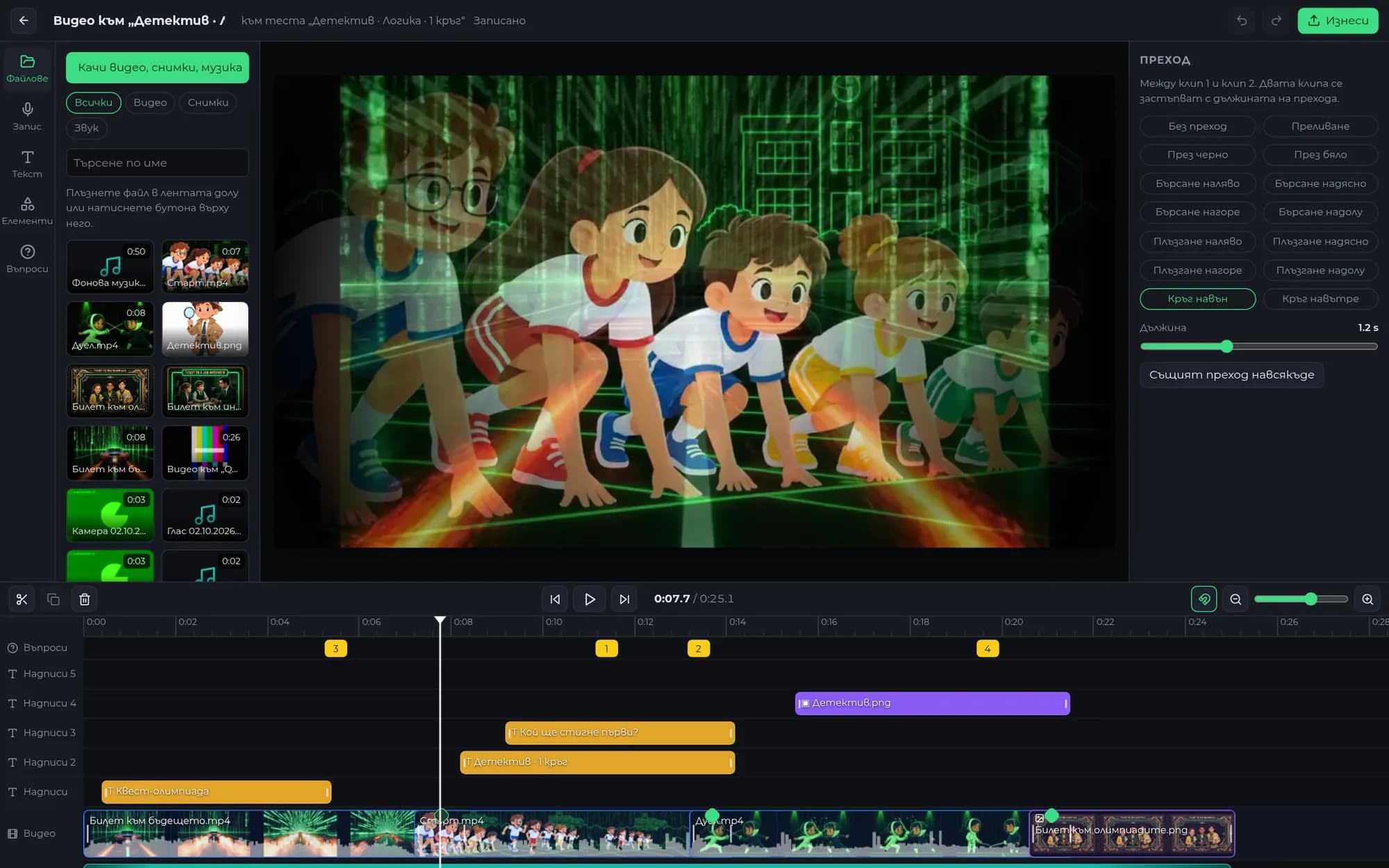
Up to eight tracks stacked on top of one another. Captions have six fonts, an outline, a background, and entrance and exit animations: smooth, from above, from below, from the side or with a zoom. A photo becomes a sticker that can be moved, rotated and resized with the mouse directly on the frame.
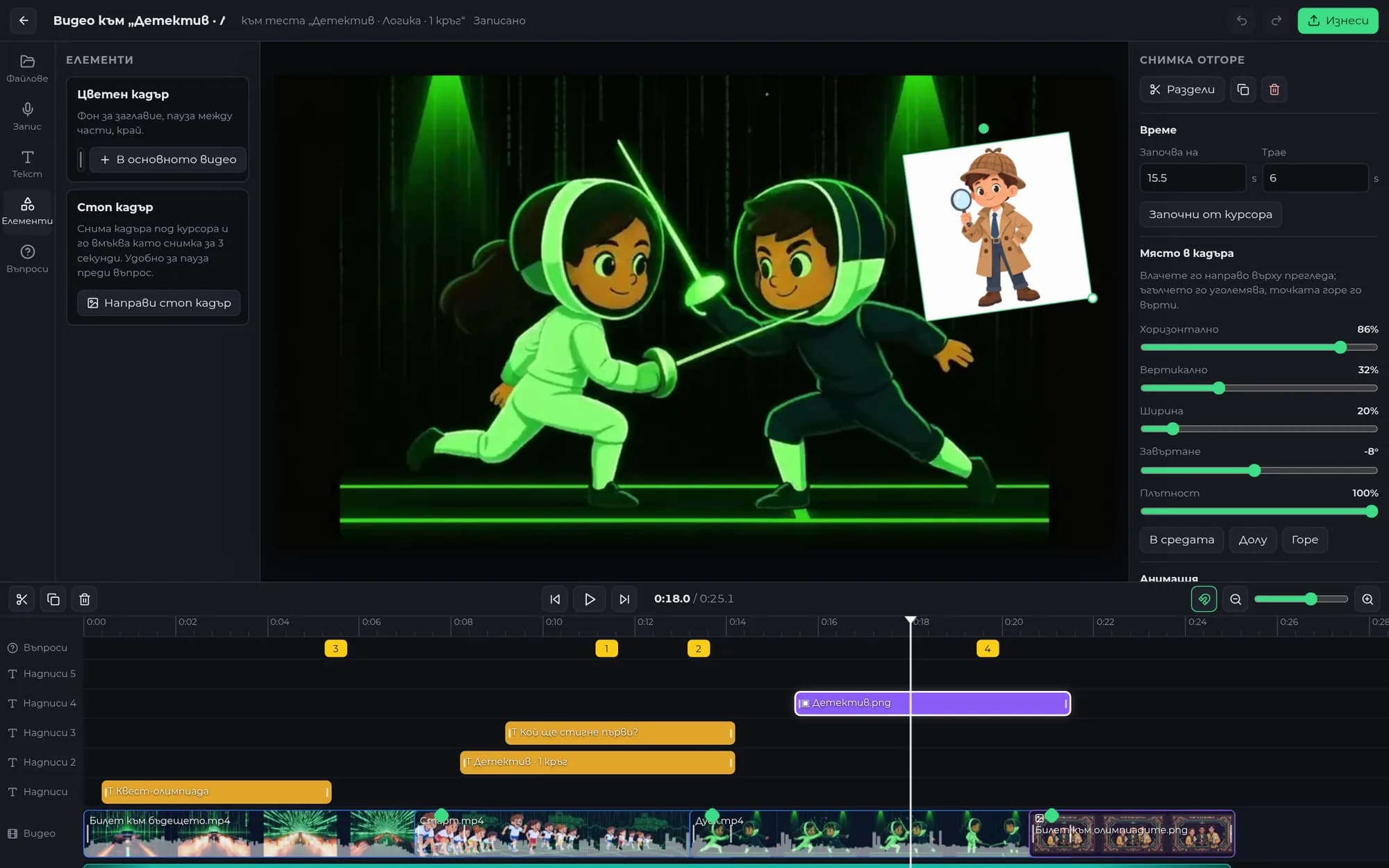
This is something no off-the-shelf editing program can do. Test questions are yellow markers on their own track. Wherever the marker is, the video pauses and the child answers. Cut or move a clip and the questions move with it; with one button, the finished video is added to the test together with them.
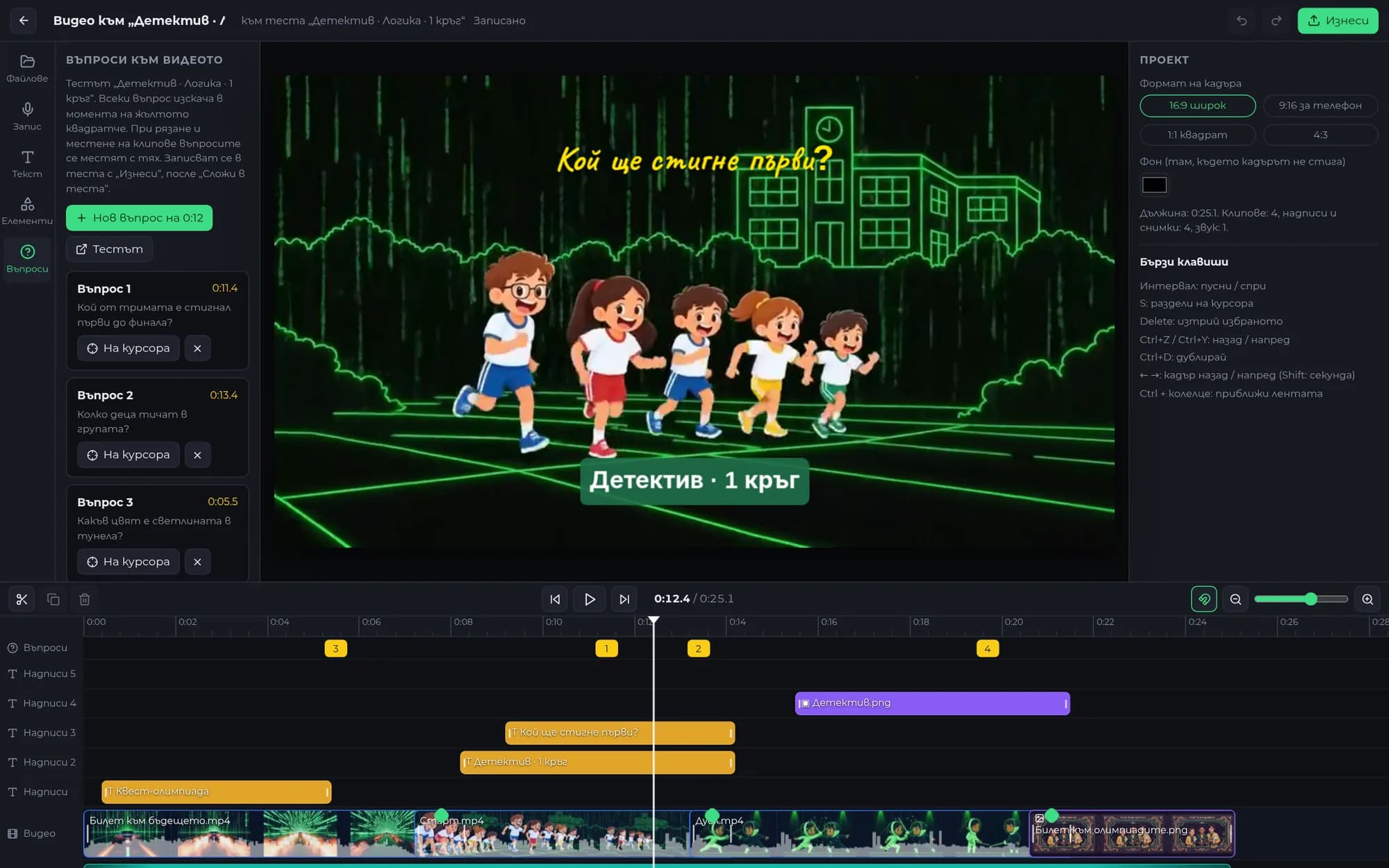
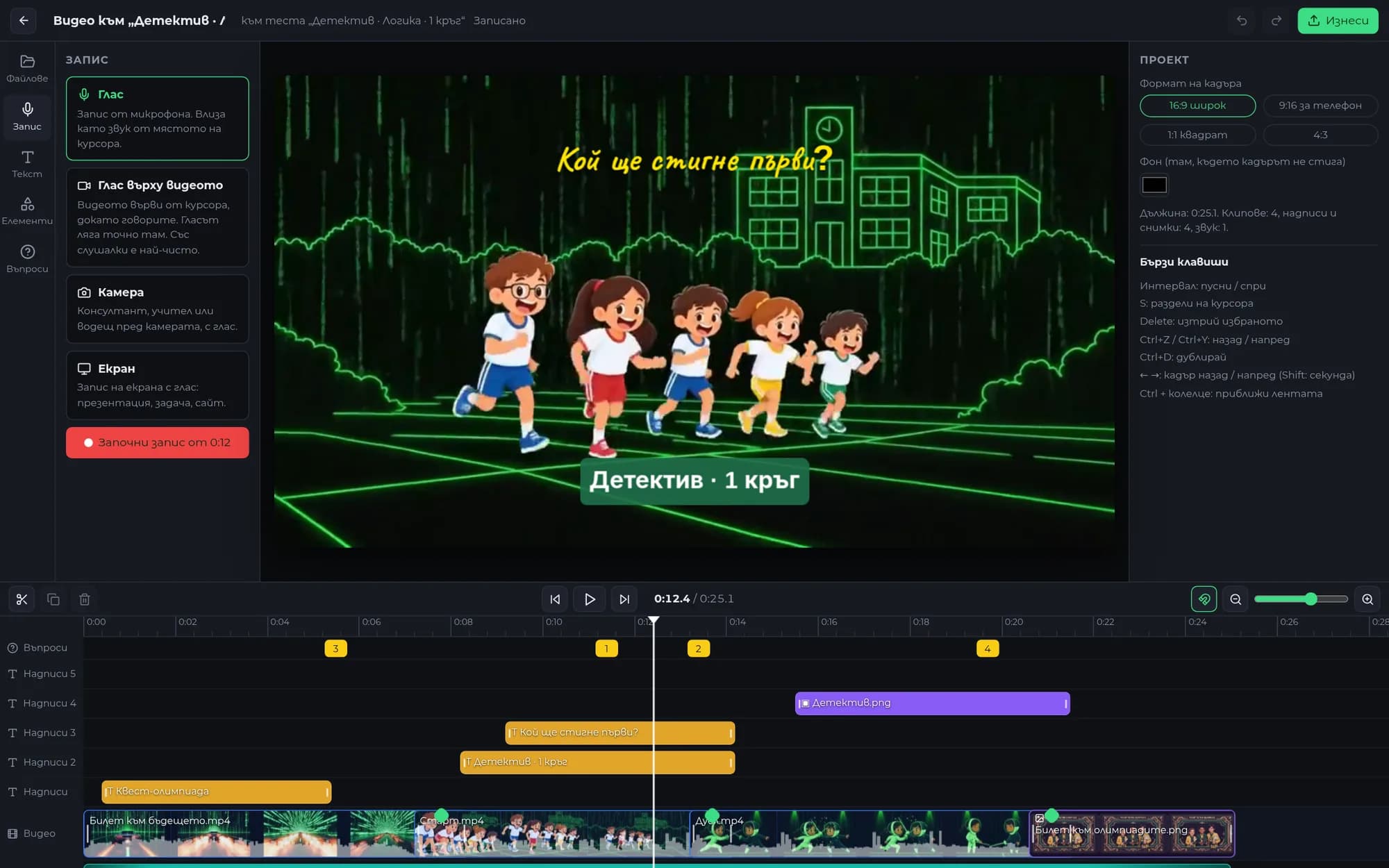
The teacher can record themselves or just their voice without leaving the studio. The recording is uploaded to the project and can immediately become a picture-in-picture element in the corner of the lesson or a voice-over over the lesson.
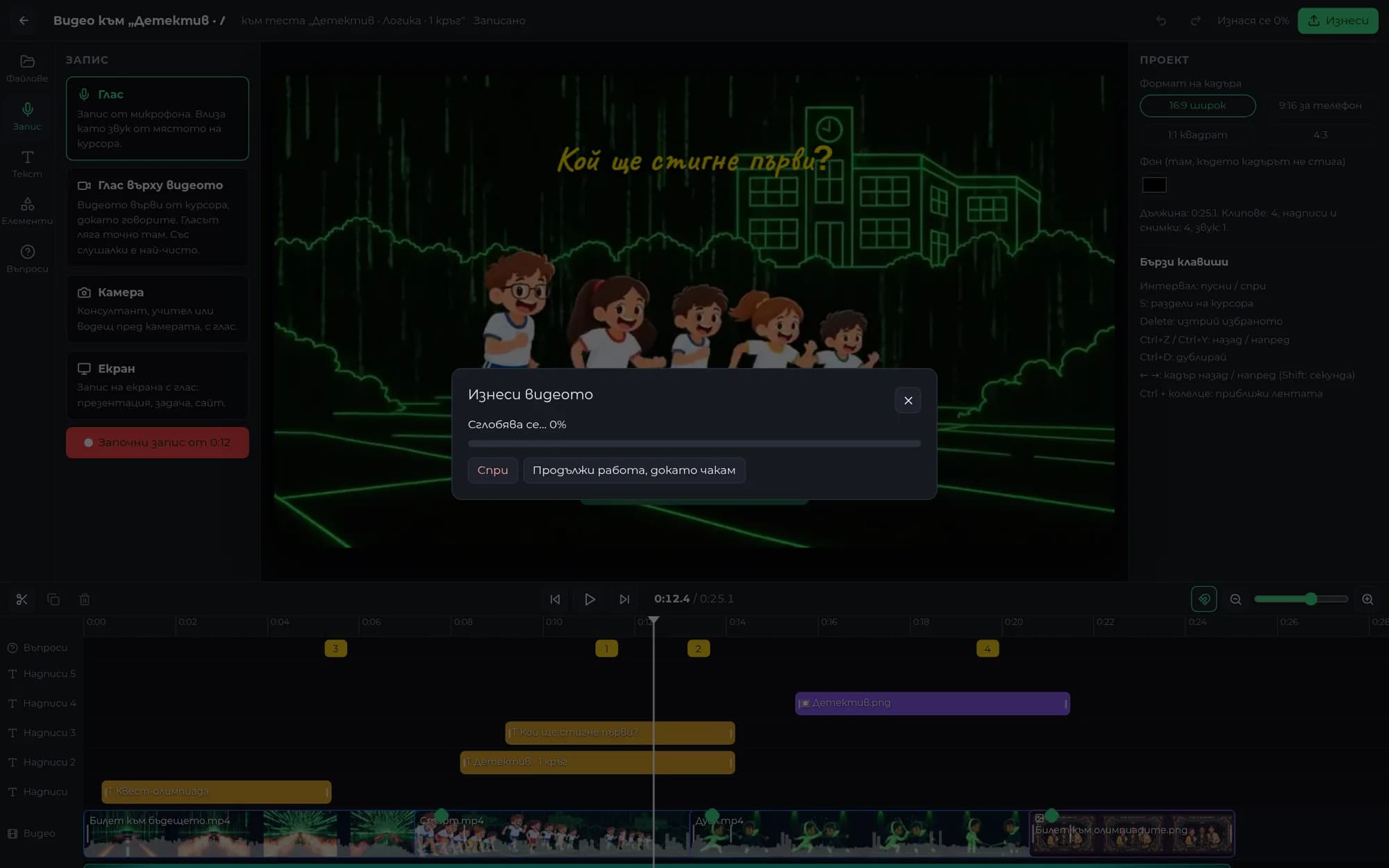
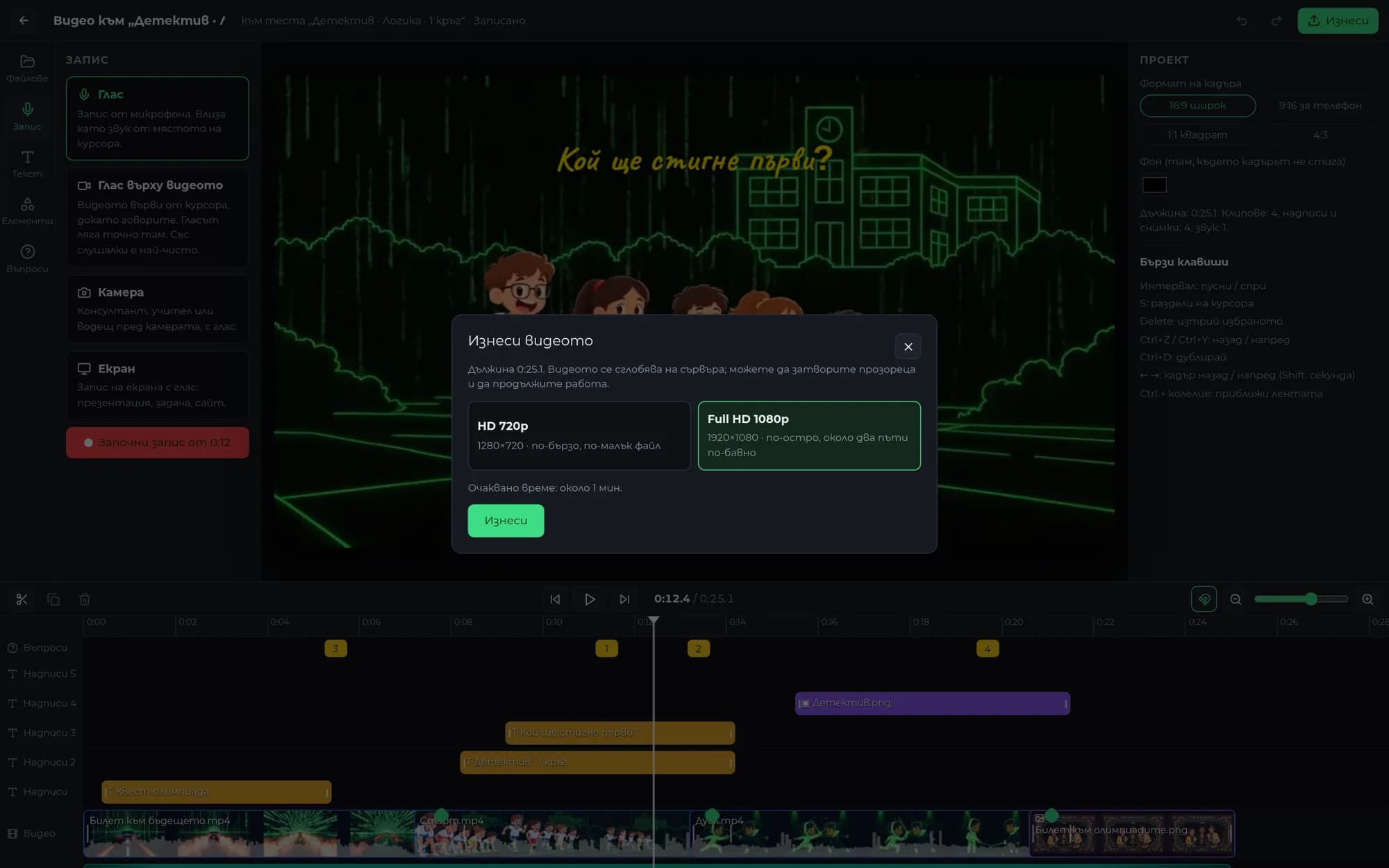
The lessons are 35 minutes long in 1080p, and the server has 2 GB of memory. A single command for the entire edit would consume all the memory, so rendering is done in three stages: first the audio, then each clip and transition separately, and finally everything together with the captions. A two-minute Full HD video takes about three minutes to render with 624 MB of memory, and progress is shown live.
A national competition for children from kindergarten through 12th grade, with eight user types, thousands of schools, payment for an entire class, and certificates that had to be publicly verifiable. The launch was set for 15 September. The client kept adding and refining requirements throughout: 185 requests logged over three months, with the biggest one arriving after launch: a full video editor in the admin panel.
Each request received a number, a solution, and a status in a single register that never deletes a row, so nothing is lost and nothing is done twice. The platform went live on schedule, on 15 September, with five releases on launch day. We built the video studio from scratch on FFmpeg, with browser previews and server-side rendering, and released it after it rendered videos without errors on the actual machine.
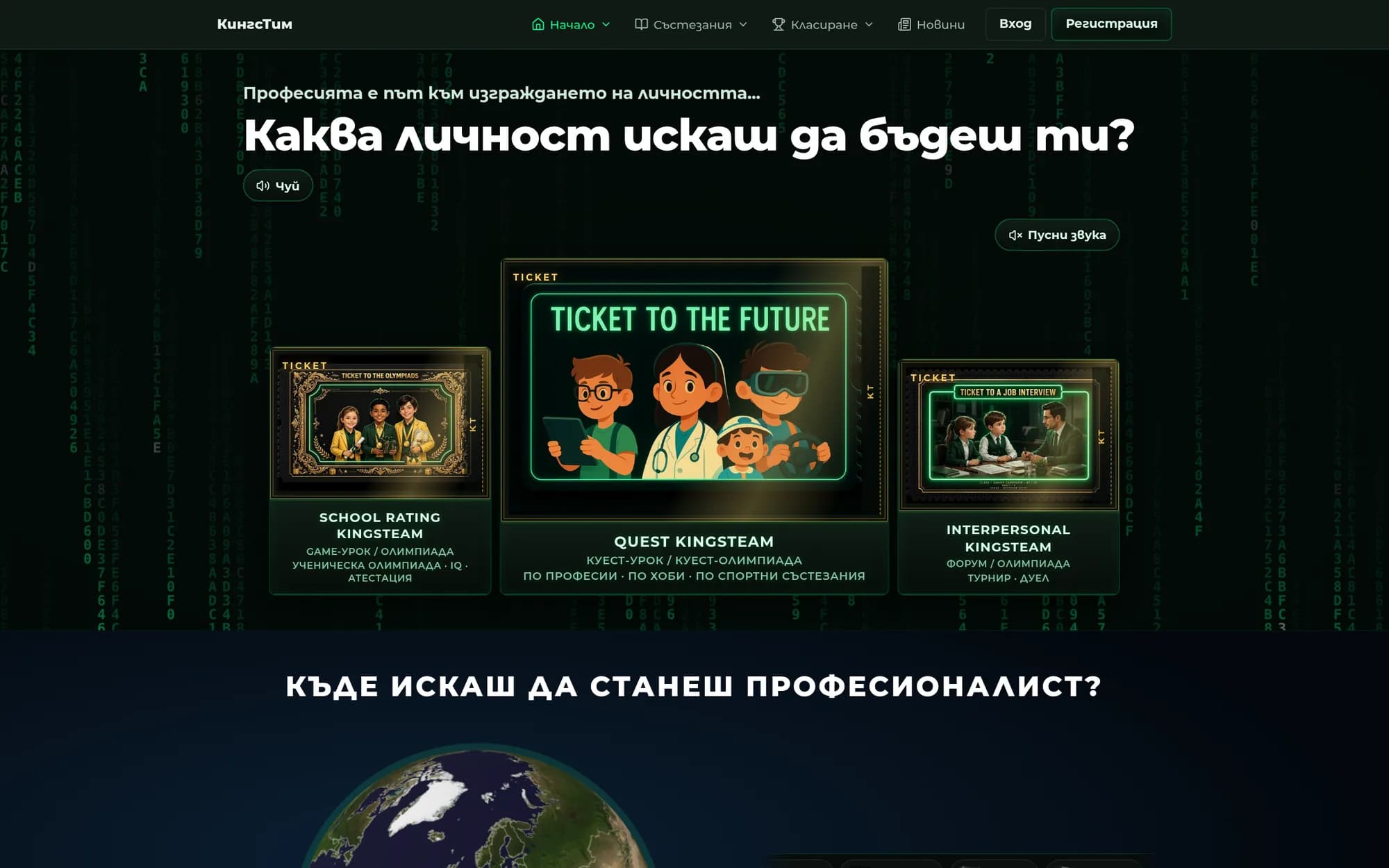
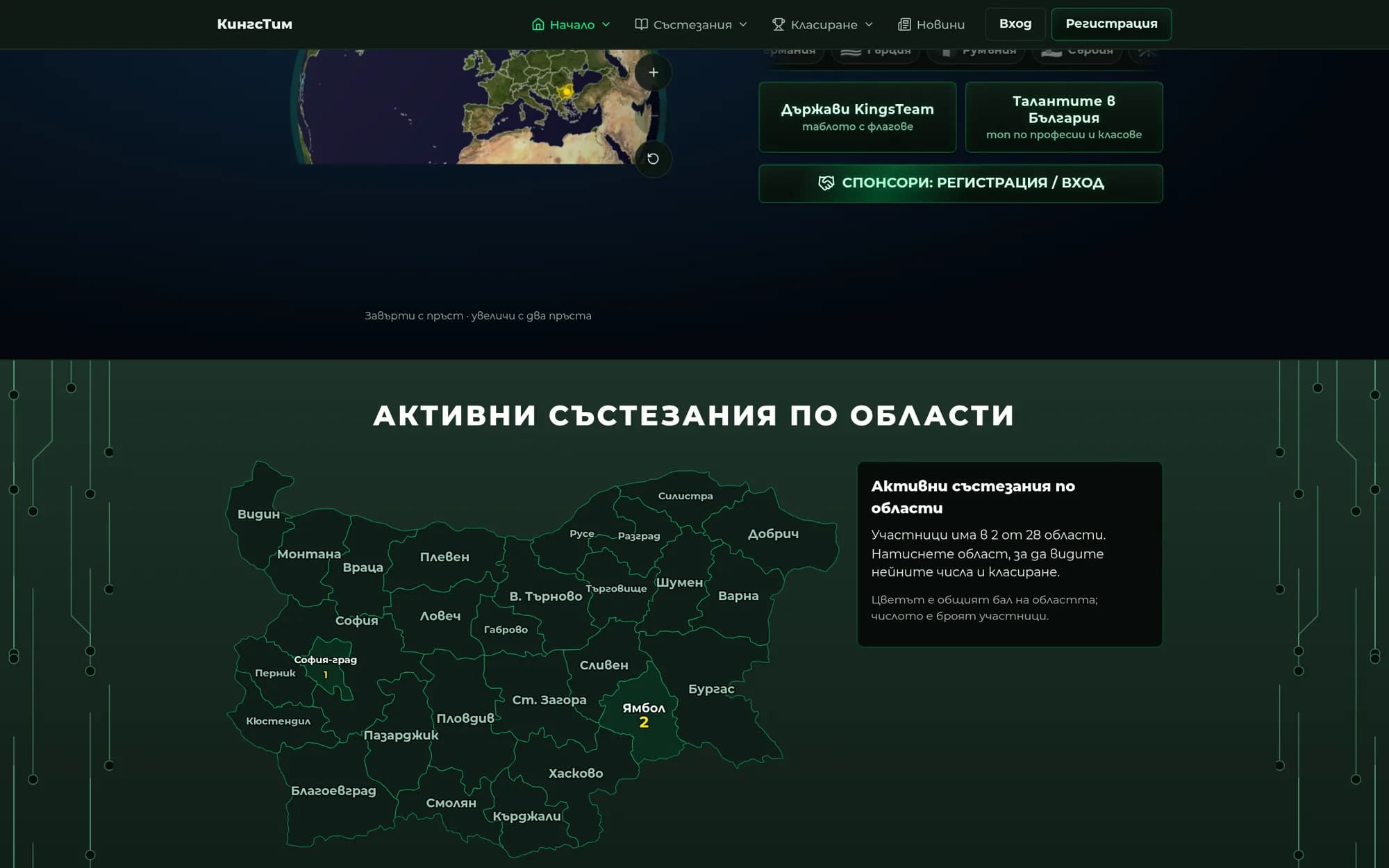
Three animated tickets lead to the three types of competitions. Beneath them, a real three.js globe spins, while the map of Bulgaria colours regions according to the number of participants. The administrator can change the homepage poster and copy without contacting us.
Country, city, a school from the MON register, and competition type. The email is confirmed via a link, and the personal code is issued immediately.
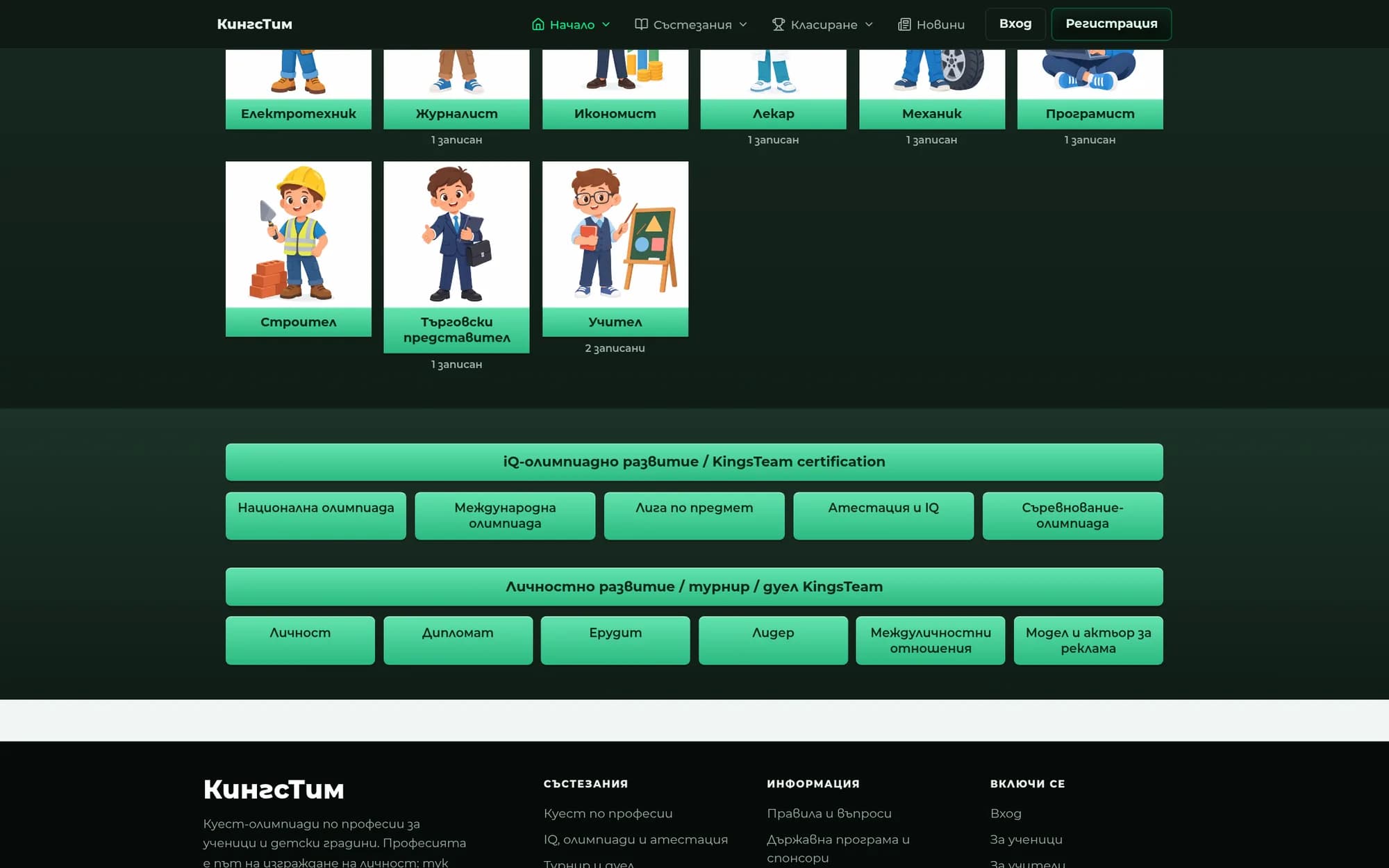
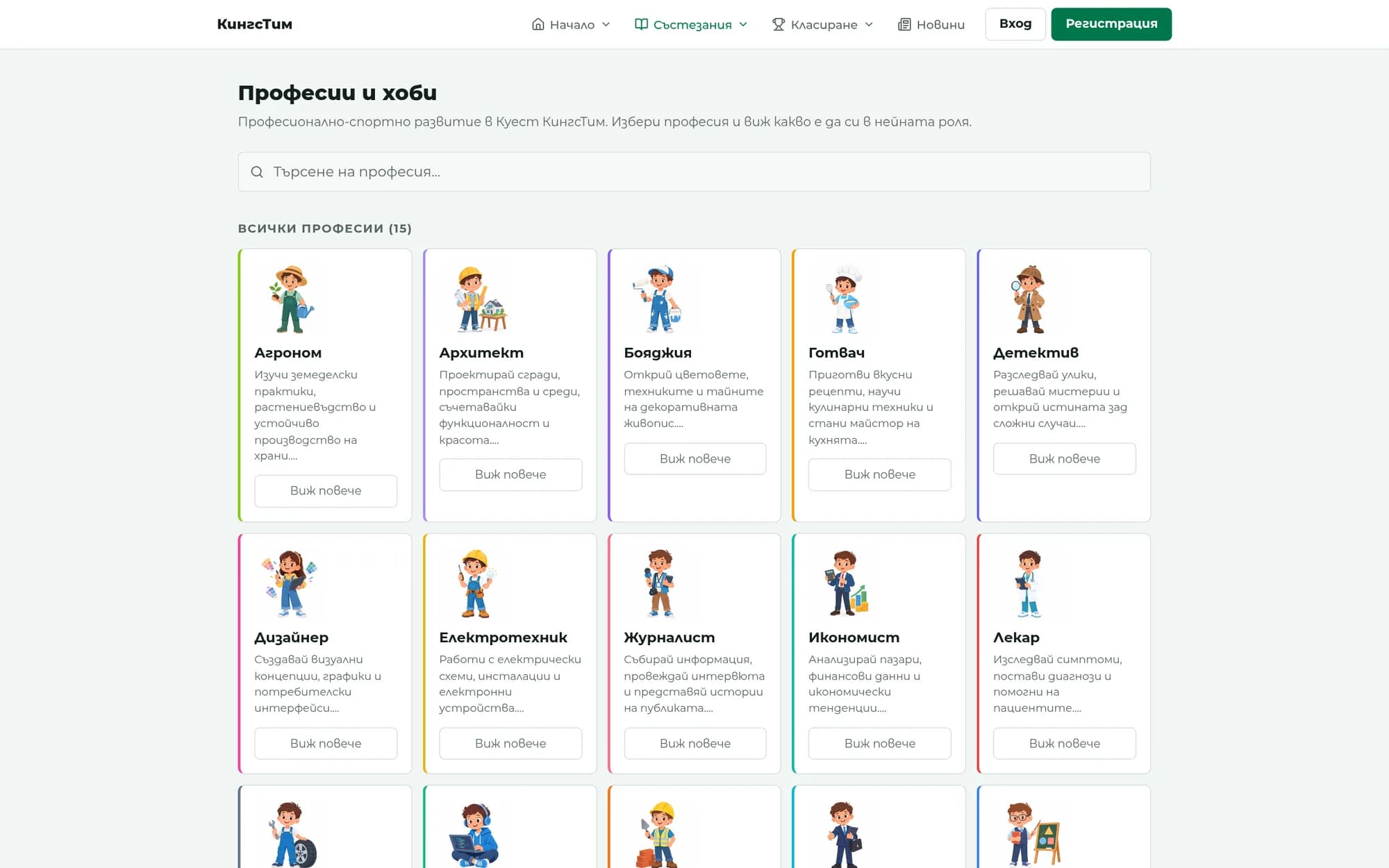
15 professions, each with its own character. The teacher can register and pay for the entire class in a single payment.
The lesson pauses at every question. Timer, images, formulas, and a code word for the round.
Qualifying round, final, and super-final, each with its own ranking.
A PDF certificate whose QR code can be verified publicly without revealing the child's name.
Some of the 185 requests, all delivered and live.
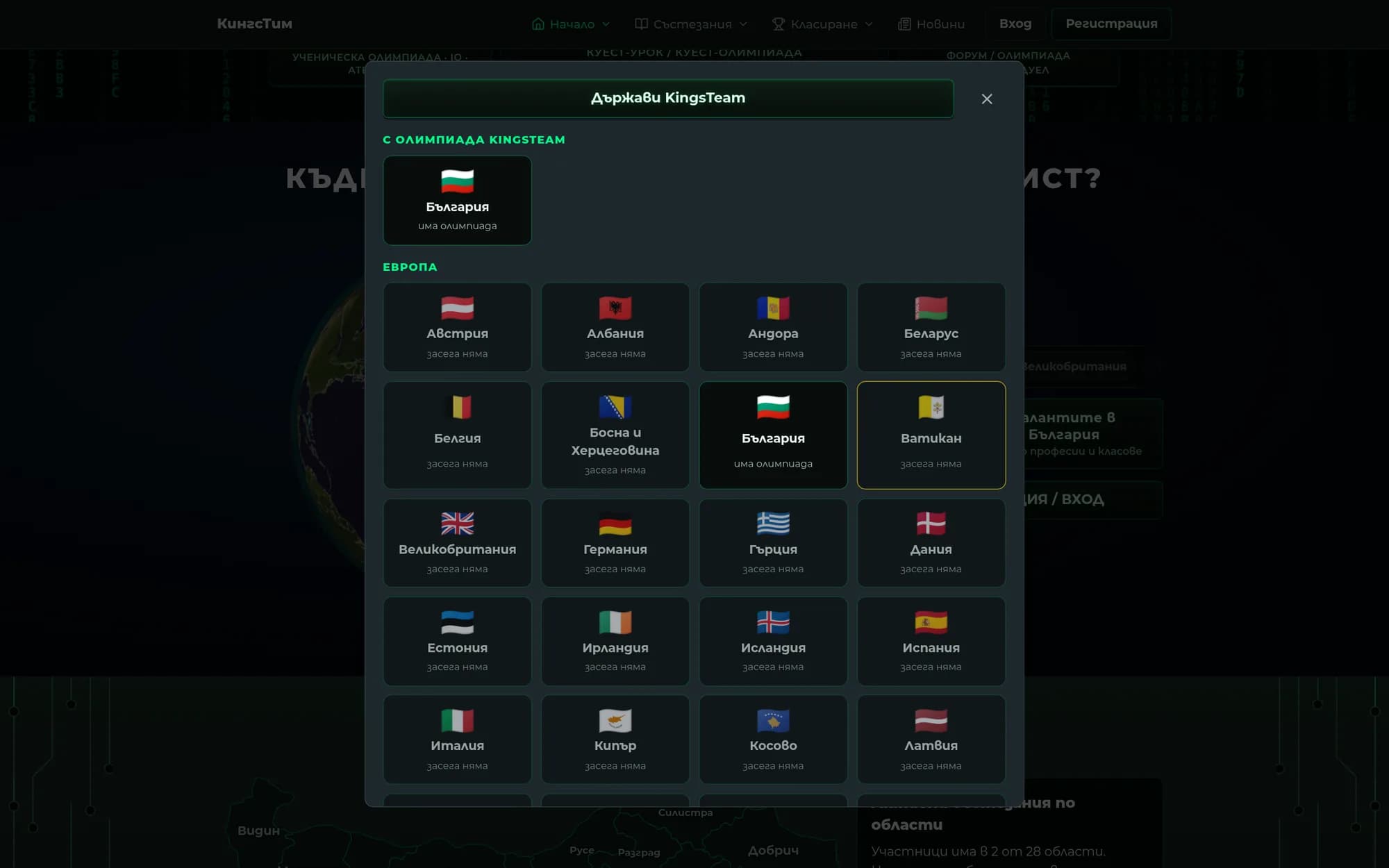
KingsTeam runs vocational quest olympiads for children from kindergarten through 12th grade. The child chooses a country, city and type of competition, signs up for a profession such as “Detective”, “Architect” or “Doctor”, and takes tests in rounds: qualification, final and superfinal. Each round begins with a video lesson, and the questions appear exactly when the lesson reaches them.
This is the most ambitious project we have built in education, and the most demanding client we have worked with. Not as a complaint, but as a number: in three months, we logged 185 separate requests, each with a number, solution and status in a single register that never deletes a row. Some were one word in a text. Others were entire modules, such as the video studio below. The client knew exactly how everything had to look and did not accept “almost”.
The platform was built from scratch. Coding began on 28 June 2026, and the site went live on 15 September, eleven weeks later. On launch day, we released five production versions. Behind the site are 40 pages, around 46 000 lines of TypeScript and 39 database migrations.
There are eight roles inside: student, graduate, teacher, kindergarten teacher, expert, manager, sponsor and administrator, each with its own dashboard. The register contains 3 524 schools and kindergartens in 5 414 populated places, imported from the public MON register without losing a single existing record. 15 professions, 63 tests, 603 questions. The teacher registers and pays for the entire class at once. Each participant receives a personal code, while anyone who passes the final receives a PDF certificate with a QR code that can be verified publicly without displaying the child’s name.
The test engine supports a timer, multiple-choice and open-ended questions, photos and mathematical symbols in questions and answers, video-based tasks and a code word for each round. The home page features a real spinning globe built with three.js, a map of active competitions by region and animated tickets, and the administrator can rearrange it independently.
Then came the most difficult request. The olympiad lessons are videos, and the client wanted to edit them independently, directly in the admin panel, like in CapCut or Filmora. Not just upload and trim, but full editing. We built it.
The video studio runs in the browser, with no software to install. Videos, photos and music are dragged onto the timeline. Clips can be trimmed, sped up, muted, colour-adjusted and cropped. There are 13 types of transitions between clips. Captions come in six fonts, with entrance and exit animations, while stickers and picture-in-picture elements can sit on up to eight tracks stacked on top of one another. There is camera and microphone recording directly into the project, four aspect ratios including 9:16 for mobile, undo, keyboard shortcuts and automatic saving.
Test questions appear as markers on the timeline itself. Wherever the marker is, the video pauses and the child answers. Move a clip and the questions move with it. One button exports the finished video and adds it to the test together with the questions.
The export is a real video assembled on the server with FFmpeg, not a screen recording. The server has two cores and 2 GB of memory, while the lessons are 35 minutes long in 1080p, so we split the rendering into three steps: first the audio, then each clip and transition separately, and finally everything together with the captions. A two-minute Full HD video exports in about three minutes using 624 MB of memory. The browser preview and the exported file are generated by the same function, so a caption that appears at 3.2 seconds appears at 3.2 seconds in the file too.
Corporate website for a Bulgarian elevator company with a portfolio, quote calculator and CRM integration.
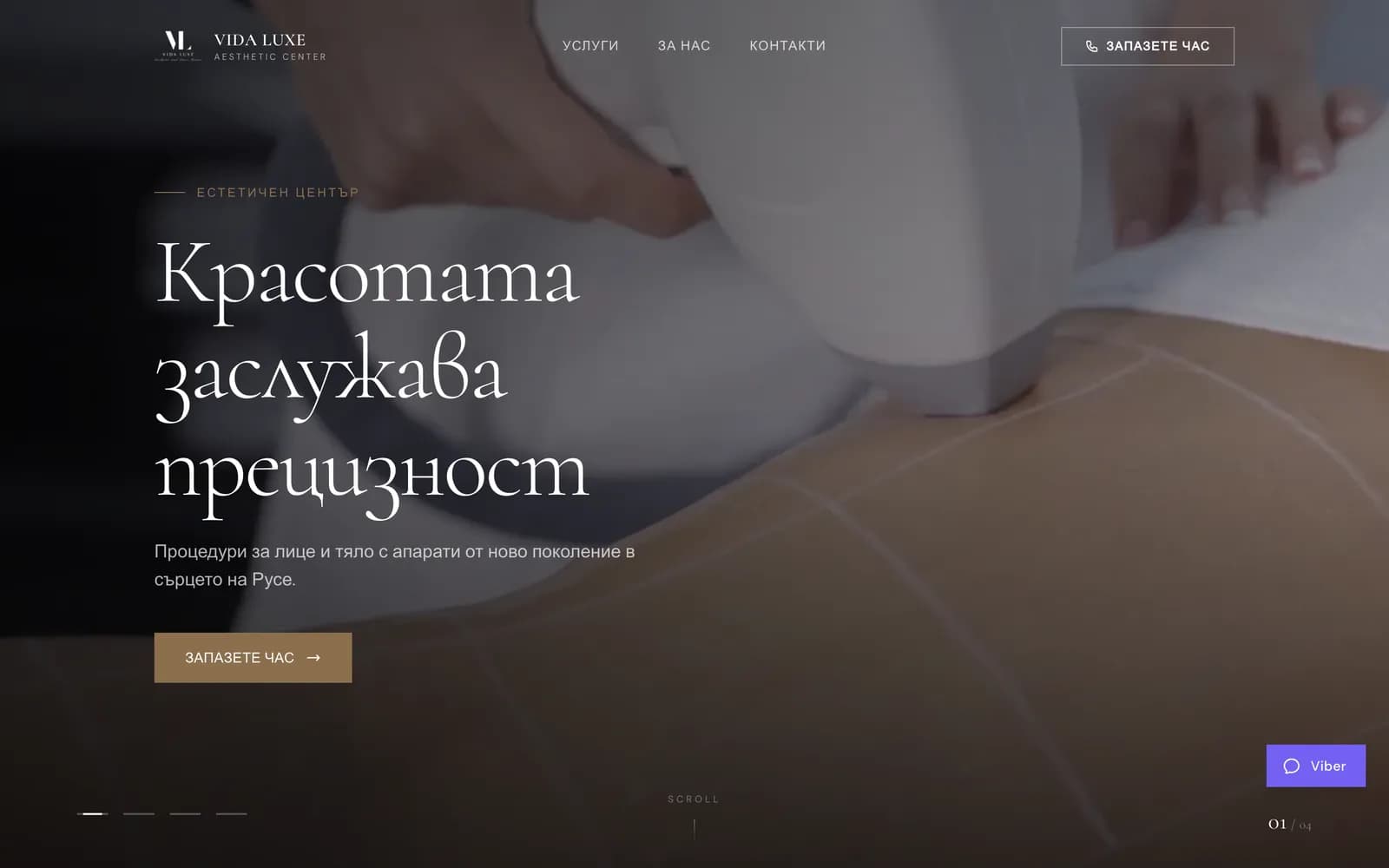
Website for an aesthetic clinic offering laser hair removal and cosmetic treatments, with a luxurious dark design and online appointment booking.
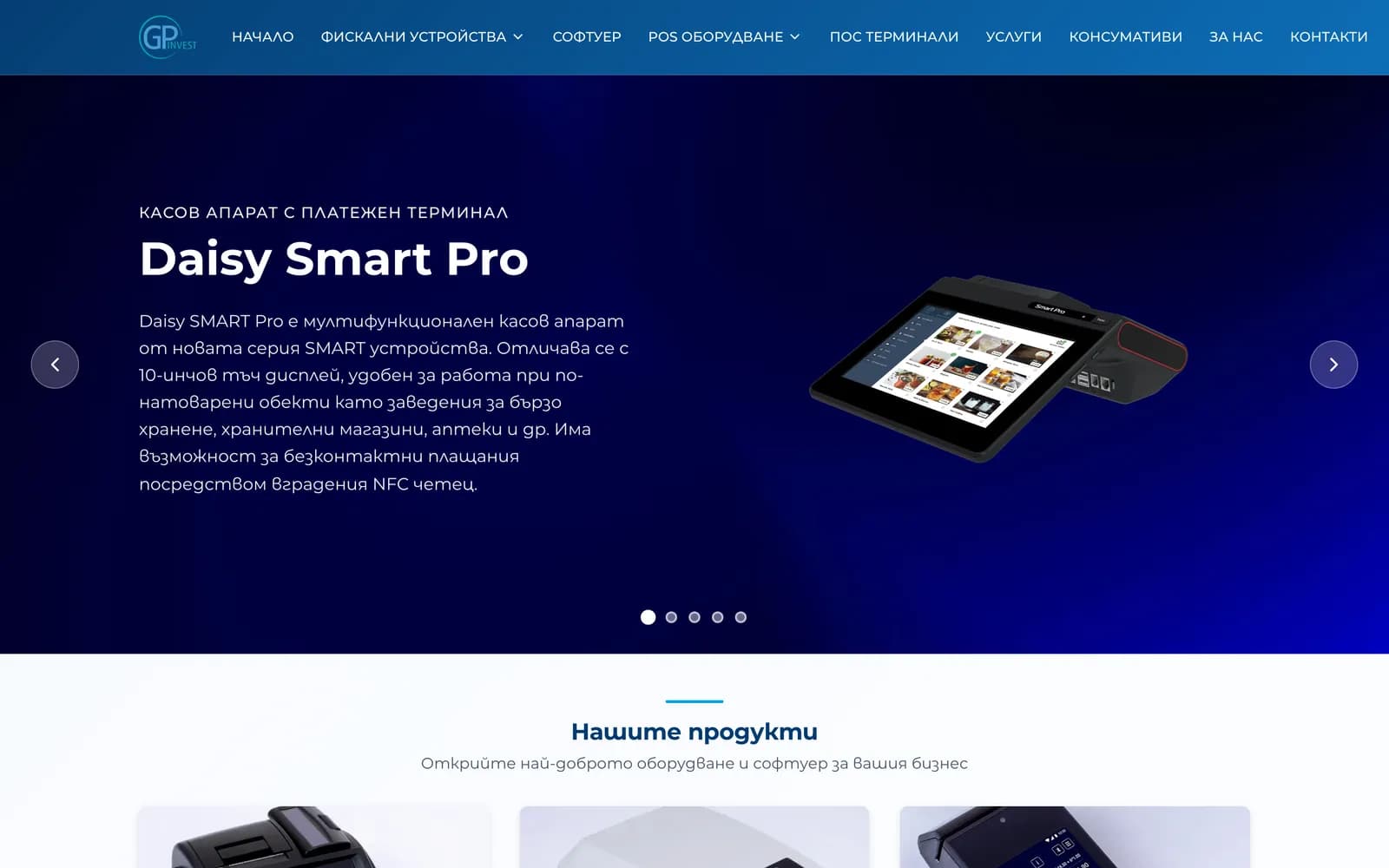
A website for cash registers, fiscal devices, and POS terminals — product catalog, services, and support.
We only use analytics and advertising cookies if you accept them. The site works without them too. Details ·